Using the Forum – Adding Images & Subscription Notifications
3 archived posts · Read-only discussion
Sabre27Admin
#1
How do I subscribe to specific forums?
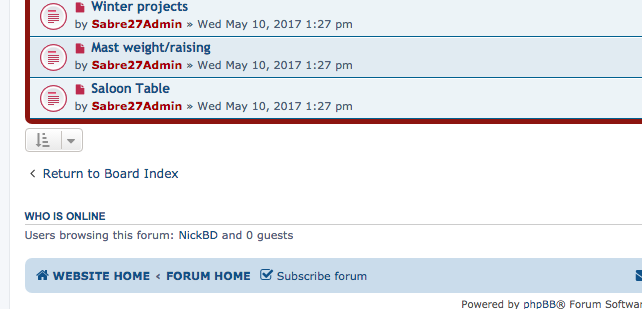
If you would like to be notified by email whenever a new post has been added, click the “Subscribe forum” link, at the bottom of page, upon entering the forum. You can also subscribe to individual posts in the same way:
Forum adding images instructions 01 How do I remove my subscriptions?
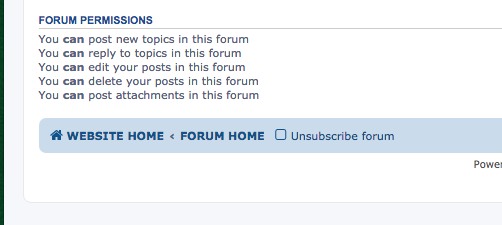
If you would like stop notifications whenever a new post has been added, click the “Unsubscribe forum” link, at the bottom of page, upon entering the forum:
Forum adding images instructions 02 How do I add images?
You can add an image in two ways.
1. From an external website by clicking the 'Insert Image' button at the top of the editing window and pasting in the image URL between the 'img' tags.
2. Click 'Attachments' tab below the posting window. Click 'Add Files' to upload images. Then position the cursor where you want the image to appear and click 'Place Inline'
ken endean
#2
Nick,
I have just tried to post an image by following 'How do I add images' and using Option 2. The file name appears but not the photo itself. What am I doing wrong?
As a separate issue, the system does not seem to accept jpgs unless they are cropped or compressed to about 200kB. I imagine that this may cause a problem for those without compression software. (I am conscious of this because the latest MSOffice update destroyed one of my compression methods!)
Keith 66
#3
A good program for resizing images is Irfan viewer, its a free download & is a very powerful bit of photo editing software.
I mainly use it just for resizing though!

 Sabre 27 Gallery
 Videos
 Specs
Specs Officers
 Shop
Shop Forum Archive
 Facebook
 Contact